منظومة TECTRONIX: من فكرة… إلى لوحة إلكترونية جاهزة للتصنيع اكتشفها

تعلّم مع TECTRONIXLearn with TECTRONIX

دروس تفاعلية مجانية: أساسيات الإلكترونيات من الصفر بمحاكاة حيّة للدائرة، وتصميم الشرائح الإلكترونية من البوابة المنطقية إلى ملف المصنع، ودروس من أجهزتنا الحقيقية. كل دائرة تعمل أمامك في المتصفح، دون تثبيت أي برنامج.Free interactive lessons: electronics basics from scratch with a live simulation of every circuit, chip design from the logic gate to the factory's file, and lessons from our real devices. Every circuit runs in your browser, with nothing to install.

  • محاكاة حيّة للدائرةA live simulation of the circuit
  • كود Verilog يصير دائرة تعملVerilog code that becomes a working circuit
  • التركيب على لوحة التجارب خطوة خطوةBreadboard build, step by step
  • الجهاز ثلاثي الأبعاد قطعة قطعةThe device in 3D, part by part

للمعلمين: أرسل رابط الدرس لطلابك، يعمل على الجوال والحاسب دون تثبيت أي برنامج.For teachers: send the lesson's link to your students; it works on phones and computers with nothing to install.

أساسيات الإلكترونياتElectronics basics

دروس من الصفر، لكل درس فيديو ومحاكاة حيّة للدائرة، وتركيبها على لوحة التجارب خطوة خطوة، ومختبر تجرّب فيه بنفسك.Lessons from scratch, each with a video, a live simulation of the circuit, its breadboard build step by step, and a lab to try it yourself.

المقاومة والجهد والقياسResistance, voltage and measuring7

الدرس 1Lesson 1قانون أومOhm's law

لماذا يحتاج مصباح LED إلى مقاومة؟Why does an LED need a resistor?

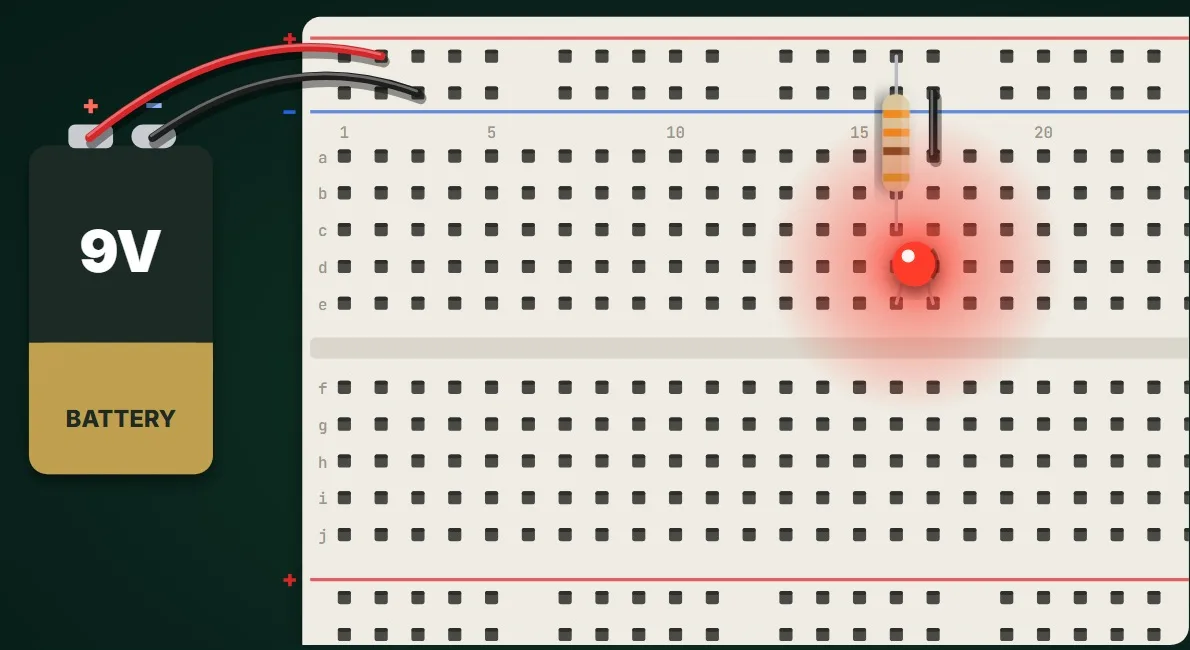
وصل مصباح LED مباشرة ببطارية 9 فولت يحرقه. لماذا؟ الجهد والتيار والمقاومة، وقانون أوم، وكيف تختار المقاومة المناسبة للـ LED، مع تركيب الدائرة على لوحة التجارب والتحقق منها في محاكاة حيّة.

Connect an LED straight to a 9 V battery and it burns out. Why? Voltage, current and resistance, Ohm's law, and how to choose the right resistor for an LED, built on a breadboard and checked in a live simulation.

ابدأ الدرسStart the lesson
الدرس 2Lesson 2مقسّم الجهدThe voltage divider

كيف يعمل حسّاس الضوء؟How does a light sensor work?

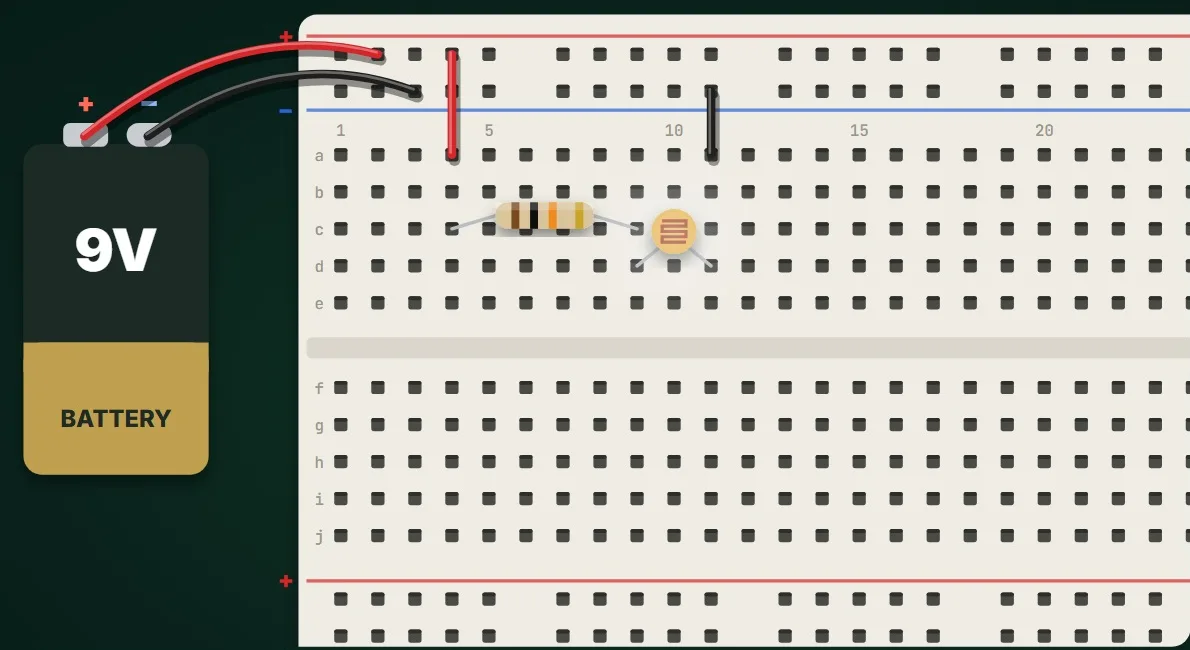
كيف يعرف الجهاز أن الظلام حلّ؟ إنه يقرأ جهداً. مقسّم الجهد: مقاومتان على التوالي، وقاعدة التقسيم، والمقاومة الضوئية LDR التي تحوّل الضوء إلى جهد، مع تركيب الدائرة على لوحة التجارب والتحقق منها في محاكاة حيّة.

How does a device know it is getting dark? It reads a voltage. The voltage divider: two resistors in series, the divider rule, and a light-dependent resistor (LDR) that turns light into a voltage, built on a breadboard and checked in a live simulation.

ابدأ الدرسStart the lesson
الدرس 5Lesson 5قانونا كيرشوفKirchhoff's two laws

التوصيل على التوالي والتوازيSeries and parallel circuits

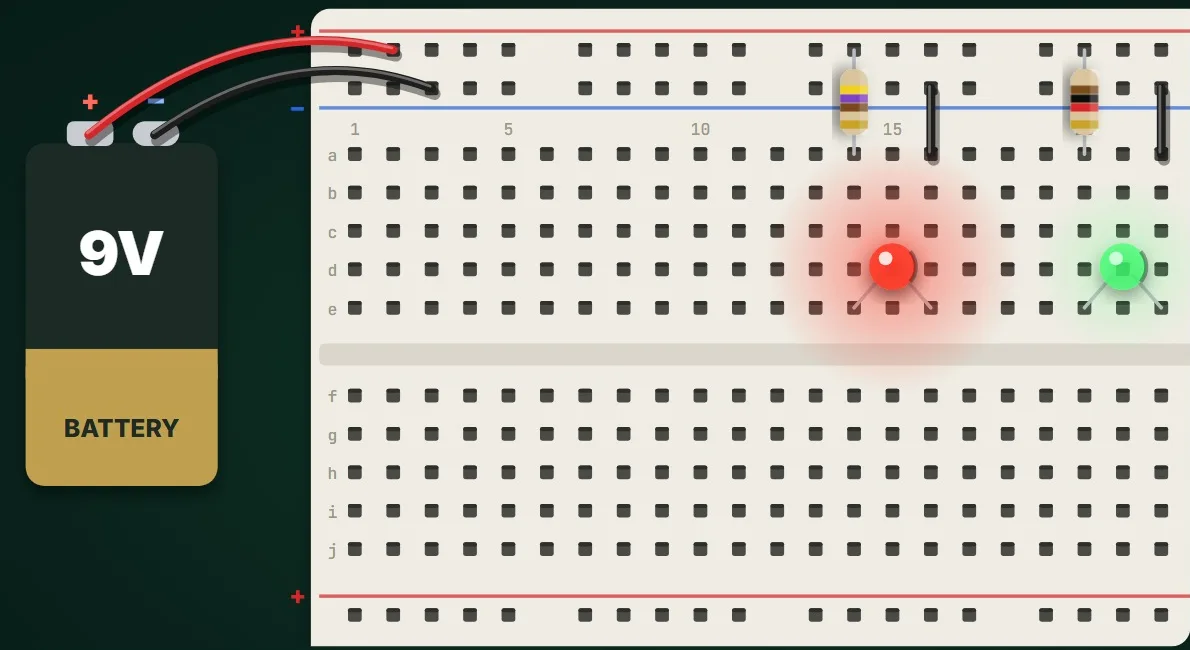
مصباحا LED على بطارية واحدة، على التوالي وعلى التوازي: التيار نفسه والجهد المتوزّع على التوالي مع قانون كيرشوف للجهد، والجهد الكامل والتيارات المتوزّعة على التوازي مع قانون كيرشوف للتيار، ولماذا يُطفئ تعطّلُ مصباح واحد دائرةَ التوالي ولا يُطفئ دائرةَ التوازي، مع تركيب الدائرة على لوحة التجارب والتحقق منها في محاكاة حيّة.

Two LEDs on one battery, in series and in parallel. The same current and shared voltages in series and Kirchhoff's voltage law, the full voltage and shared currents in parallel and Kirchhoff's current law, and why one failed lamp darkens a series string but not a parallel one, built on a breadboard and checked in a live simulation.

ابدأ الدرسStart the lesson
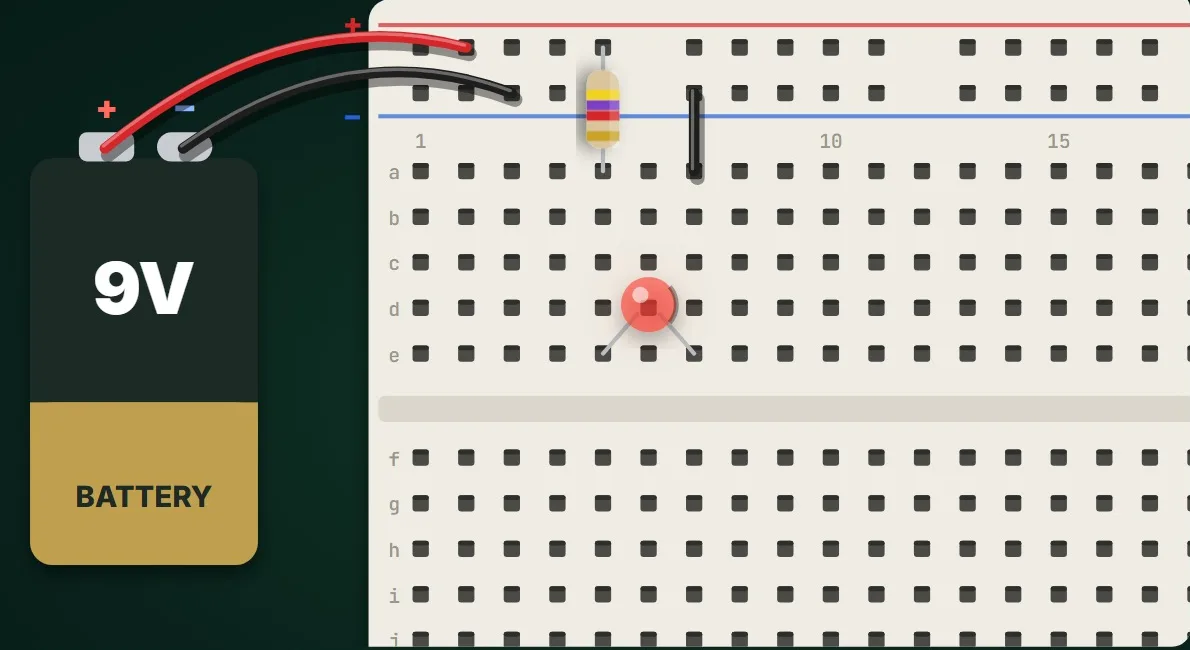
الدرس 6Lesson 6خافت الإضاءة ومقسّم الجهدDimmer and voltage divider

المقاومة المتغيّرة: مفتاح واحد بوظيفتينThe potentiometer: one knob, two jobs

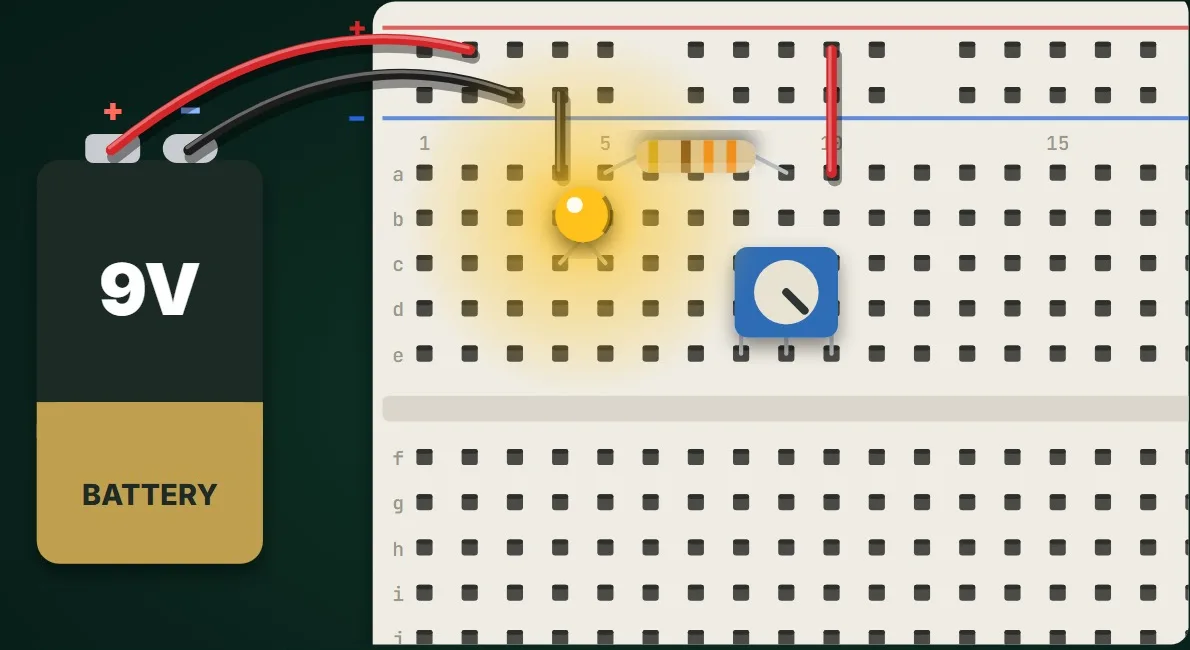
مفتاح واحد بوظيفتين: أطراف المقاومة المتغيّرة الثلاثة والمنزلق، واستخدامها مقاومةً متغيّرة تخفت ضوء LED (ولماذا تبقى المقاومة الثابتة ضرورية)، ثم مقسّمَ جهد قابلاً للضبط يحوّل موضع المفتاح إلى جهد يقرؤه المتحكم الدقيق، مع تركيب الدائرة على لوحة التجارب والتحقق منها في محاكاة حيّة.

One knob, two jobs. The potentiometer's three legs and its wiper, used as a variable resistor to dim an LED (and why it still needs a fixed resistor), then as an adjustable voltage divider that turns the knob's position into a voltage a microcontroller can read, built on a breadboard and checked in a live simulation.

ابدأ الدرسStart the lesson
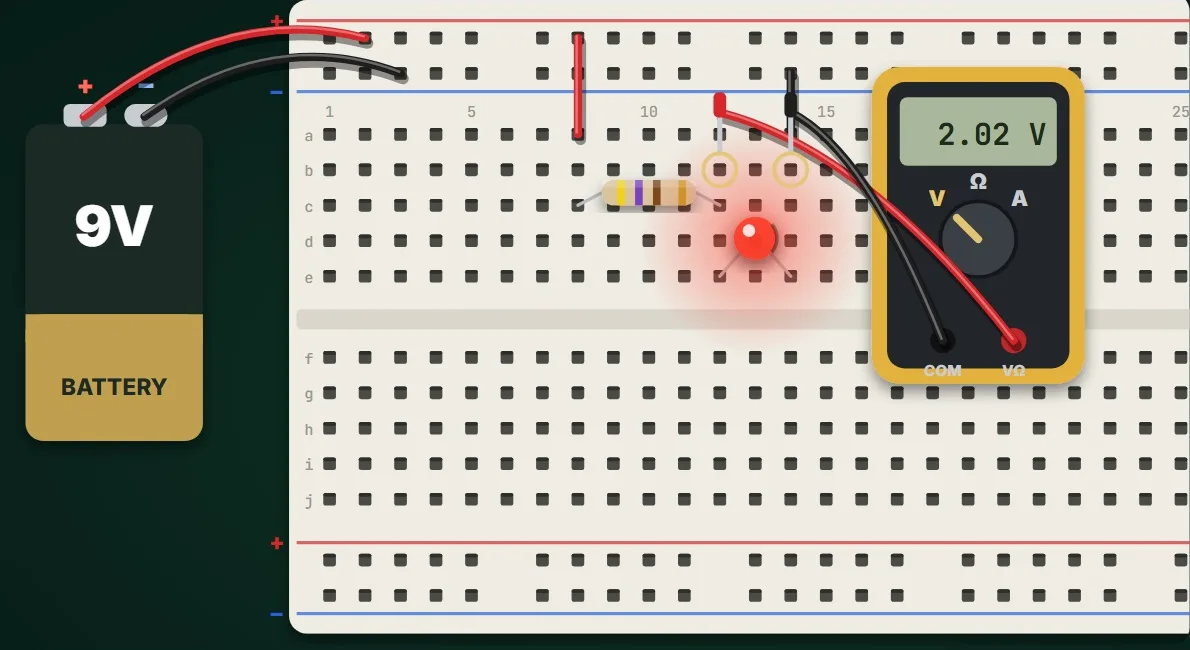
الدرس 13Lesson 13أربع حلقات وقيمة واحدةFour bands, one value

قراءة الحلقات الملوّنة على المقاومةReading a resistor's colour code

كيف تقرأ قيمة المقاومة من حلقاتها الملوّنة: الألوان العشرة وأرقامها بترتيب قوس قزح، وحلقتا الرقمين، وحلقة المضاعف، وحلقة التفاوت المسموح، مع أمثلة من 10 Ω إلى 4.7 kΩ يُجرَّب كل منها في دائرة حيّة على لوحة التجارب.

How to read a resistor's value from its colour bands. The ten colours and their digits in rainbow order, the two digit bands, the multiplier band, the tolerance band, and worked examples from 10 Ω to 4.7 kΩ, with each value tried in a live circuit on a breadboard.

ابدأ الدرسStart the lesson
الدرس 14Lesson 14الجهد على التوازي والتيار على التواليVolts in parallel, amps in series

كيف تستخدم جهاز القياس المتعددHow to use a multimeter

القياسات الثلاثة التي يحتاجها كل طالب إلكترونيات: المقاومة والدائرة مطفأة، والجهد بين طرفي القطعة على التوازي، والتيار عبر الجهاز على التوالي، والخطأ الوحيد الذي يُتلف مصهر جهاز القياس، على دائرة حقيقية على لوحة التجارب في محاكاة حيّة.

The three measurements every electronics student needs. Resistance with the power off, voltage across a part in parallel, current through the meter in series, and the one mistake that blows a multimeter's fuse, shown on a real circuit on a breadboard in a live simulation.

ابدأ الدرسStart the lesson
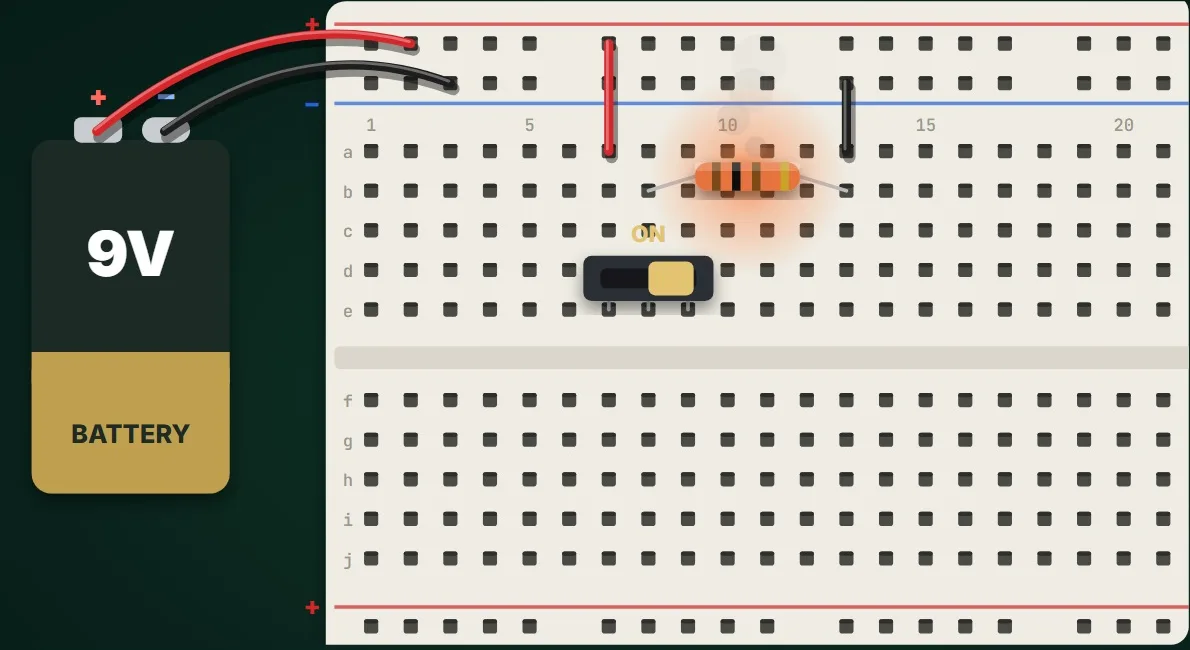
الدرس 15Lesson 15القدرة: P = V × IPower: P = V × I

لماذا تسخن المقاومة وتحترق؟Why resistors get hot, and burn

كل مقاومة تحوّل الطاقة إلى حرارة: القدرة P = V × I = V² / R، والقدرة المقنّنة للمقاومة، وما يحدث عند ثلاثة أضعافها وخمسة عشر ضعفاً، وكيف تختار التقنين المناسب، ولماذا القصر الكهربائي خطير، مع تركيب الدائرة على لوحة التجارب والتحقق منها في محاكاة حيّة.

Every resistor turns energy into heat. Power P = V × I = V² / R, the power rating of a resistor, what happens at three and at fifteen times that rating, how to choose a rating, and why a short circuit is dangerous, built on a breadboard and checked in a live simulation.

ابدأ الدرسStart the lesson
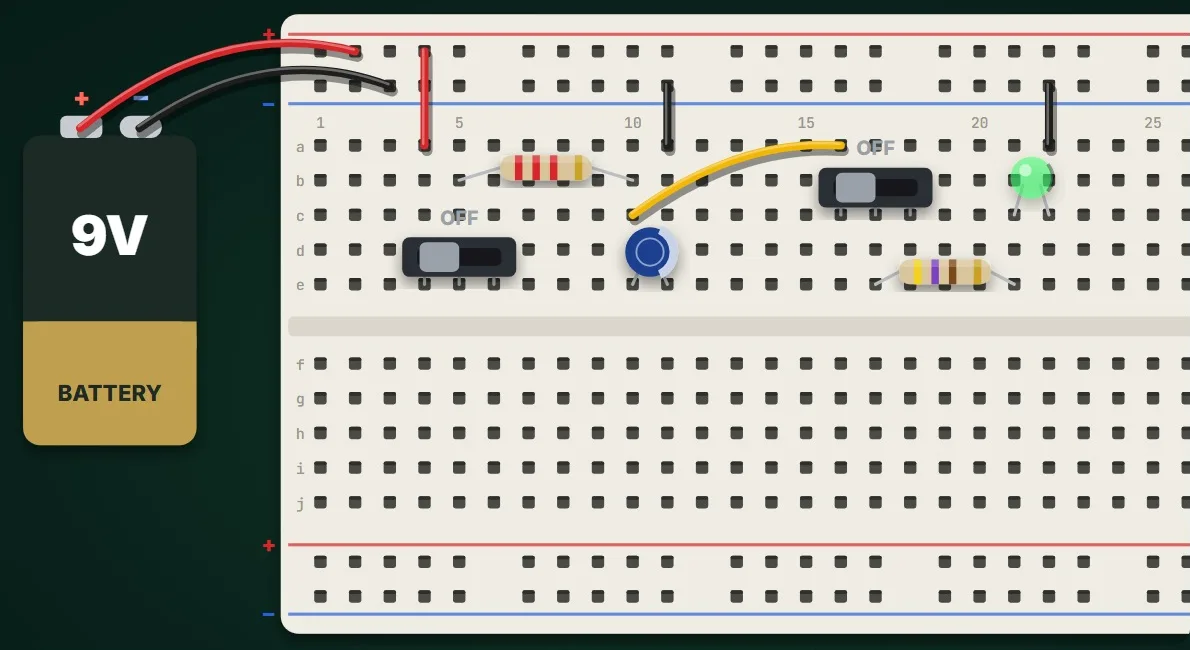
المكوّنات والتغذيةComponents and power5

الدرس 3Lesson 3الشحن والتفريغ وثابت الزمنCharging, discharging, and τ = RC

كيف يخزّن المكثّف الطاقة؟How does a capacitor store energy?

المكثّف يخزّن الشحنة الكهربائية ثم يعيدها. الشحن عبر مقاومة، والمنحنى وثابت الزمن τ = R × C، والوصول إلى 63% بعد ثابت زمن واحد، والتفريغ عبر مصباح LED يخفت تدريجياً، مع تركيب الدائرة على لوحة التجارب والتحقق منها في محاكاة حيّة.

A capacitor stores electric charge and gives it back. Charging through a resistor, the curve and the time constant τ = R × C, 63 % after one τ, and discharging through an LED that fades, built on a breadboard and checked in a live simulation.

ابدأ الدرسStart the lesson
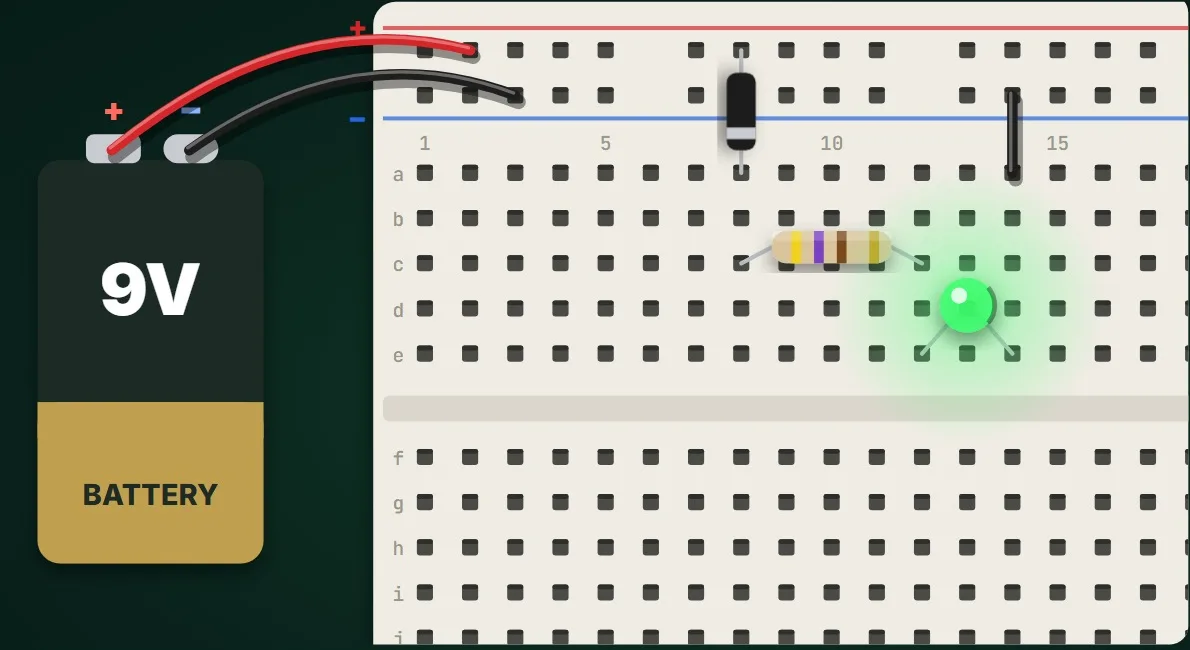
الدرس 7Lesson 7الحماية من عكس القطبيةPolarity protection

الصمّام الثنائي: طريق باتجاه واحد للتيارThe diode: a one-way street for current

قطعة تسمح للتيار بالمرور في اتجاه واحد فقط: مصعد الصمّام الثنائي ومهبطه ذو الشريط، وجهد التوصيل الأمامي قرابة 0.7 فولت، والمنع في الاتجاه العكسي، وحماية الدائرة من البطارية الموصولة بالعكس، ولماذا لا يضيء الـ LED إلا في اتجاه واحد، مع تركيب الدائرة على لوحة التجارب والتحقق منها في محاكاة حيّة.

A part that lets current flow one way only. The diode's anode and striped cathode, its forward voltage of about 0.7 V, blocking in reverse, protecting a circuit from a battery connected backwards, and why an LED lights only one way round, built on a breadboard and checked in a live simulation.

ابدأ الدرسStart the lesson
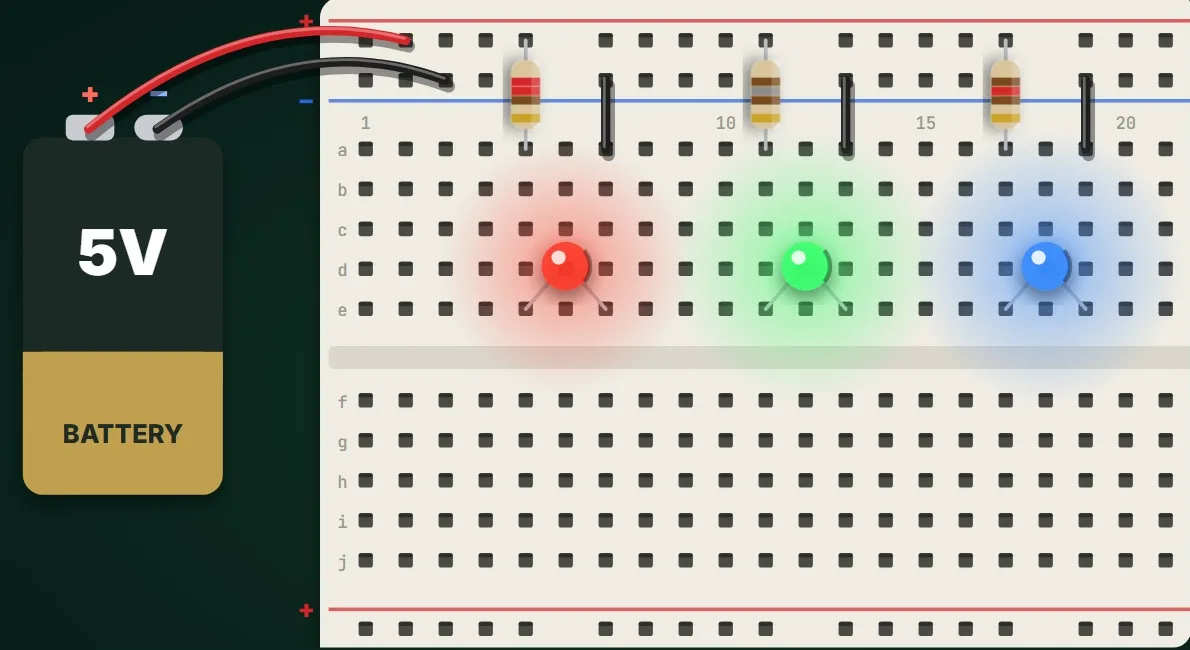
الدرس 16Lesson 16جهد التوصيل الأماميForward voltage

لماذا يحتاج كل لون LED مقاومته الخاصة؟Why each LED colour needs its own resistor

مصابيح LED حمراء وخضراء وزرقاء على التغذية نفسها لا تضيء بالقدر نفسه: جهد التوصيل الأمامي لكل لون، ولماذا يحتاج الأزرق قرابة 3 V، وكيف تختار مقاومة لكل لون ليحصل الجميع على التيار نفسه، مع تركيب الدائرة على لوحة التجارب والتحقق منها في محاكاة حيّة.

Red, green and blue LEDs on the same supply do not shine equally. The forward voltage of each colour, why blue needs about 3 V, and how to choose a resistor for each colour so they all get the same current, built on a breadboard and checked in a live simulation.

ابدأ الدرسStart the lesson
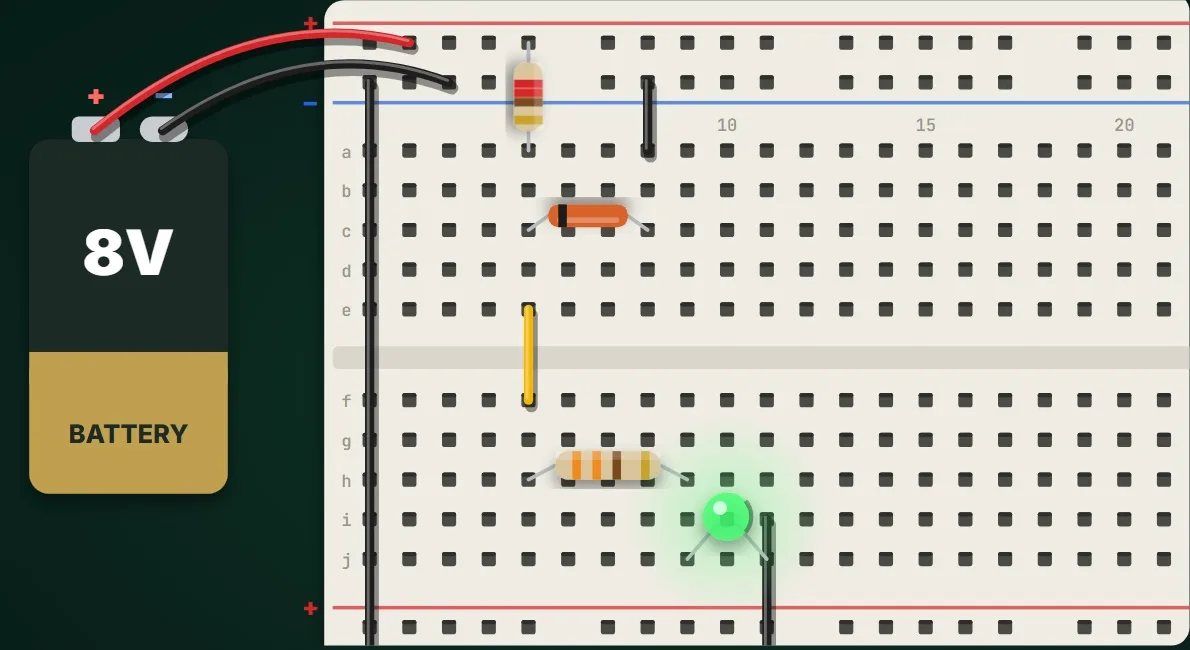
الدرس 17Lesson 17منظّم جهد بسيطA simple voltage regulator

صمّام زينر: جهد ثابتThe Zener diode: a steady voltage

البطاريات لا تحافظ على جهد ثابت: صمّام زينر الموصول معكوساً بعد مقاومة يُبقي الجهد عند 5.1 V بينما تتغيّر التغذية من 8 V إلى 12 V، ولماذا يحتاج هامشاً من الجهد، ولماذا المقاومة مهمّة، وكيف يُقتسم التيار مع الحمل، مع تركيب الدائرة على لوحة التجارب والتحقق منها في محاكاة حيّة.

Batteries do not hold a steady voltage. The Zener diode, connected backwards behind a resistor, holds 5.1 V while the supply moves from 8 V to 12 V; why it needs some headroom, why the resistor matters, and how the current is shared with the load, built on a breadboard and checked in a live simulation.

ابدأ الدرسStart the lesson
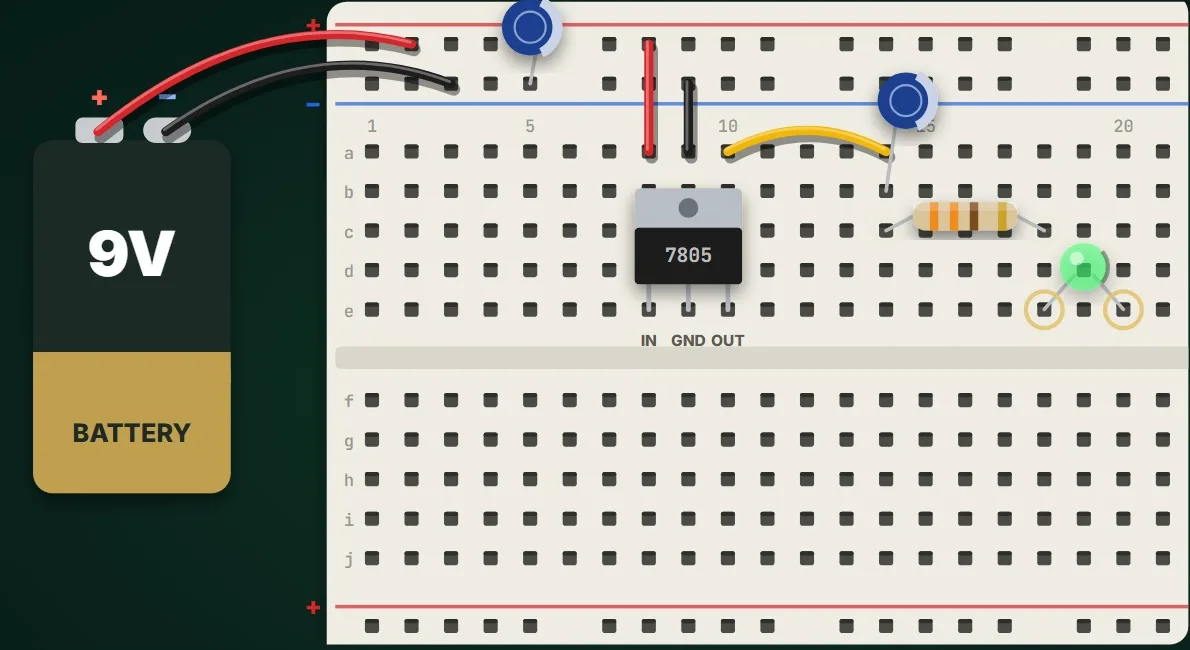
الدرس 18Lesson 18منظّم الجهد الخطيThe linear voltage regulator

المنظّم 7805: خمسة فولت ثابتة لمشروعاتكThe 7805: a steady 5 V for your projects

الشريحة ذات الأطراف الثلاثة التي تعطي مشروعاتك خمسة فولت ثابتة: دخل المنظّم 7805 وأرضيّه وخرجه، ومكثّفاه، ولماذا يحافظ على 5 V من 7 V إلى 12 V لا تحتها، وأين يذهب الجهد الزائد حرارةً، وعائلته من الجهود الأخرى، مع تركيب الدائرة على لوحة التجارب والتحقق منها في محاكاة حيّة.

The three-legged chip that gives your projects a steady 5 V. The 7805's input, ground and output, its two capacitors, why it keeps 5 V from 7 V to 12 V but not below, where the extra voltage goes as heat, and its family of other voltages, built on a breadboard and checked in a live simulation.

ابدأ الدرسStart the lesson
الترانزستور والتحكمTransistors and control5

الدرس 4Lesson 4اصنع ضوءاً ليلياًBuild a night light

الترانزستور كمفتاحThe transistor as a switch

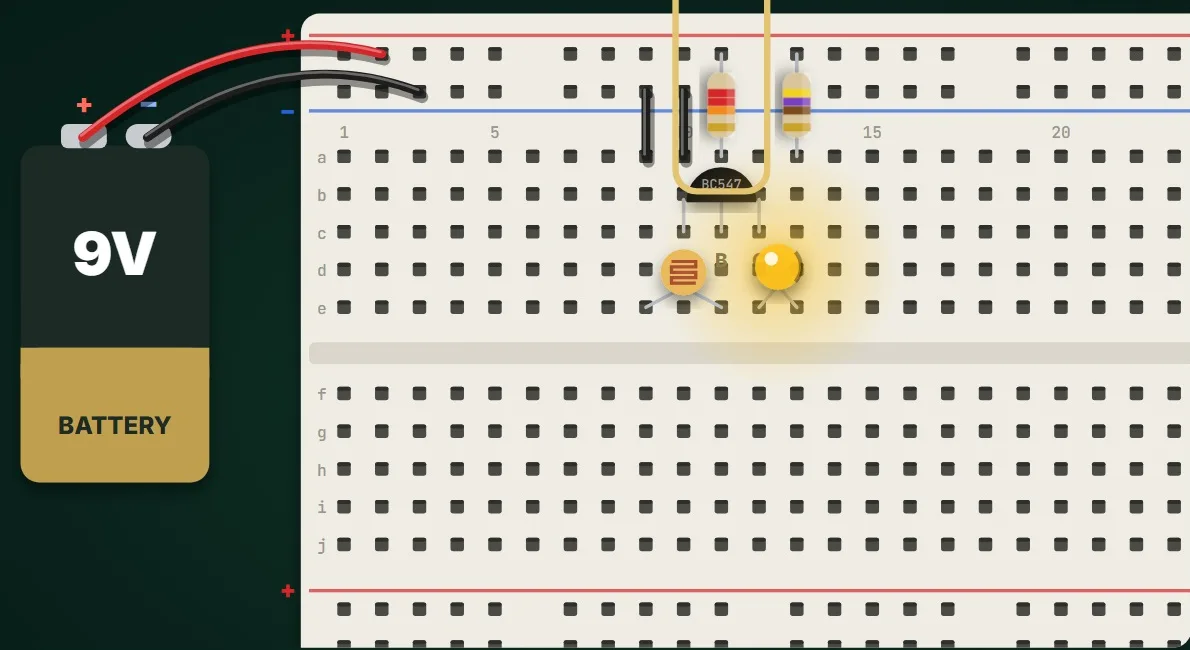
إشارة الحسّاس أصغر من أن تُضيء مصباحاً. الترانزستور NPN كمفتاح: المجمّع والقاعدة والباعث، وتيار قاعدة صغير يتحكّم في تيار مجمّع كبير، وضوء ليلي يعمل في الظلام بمقاومة ضوئية LDR، مع تركيب الدائرة على لوحة التجارب والتحقق منها في محاكاة حيّة.

A sensor's signal is too small to light a lamp. The NPN transistor as a switch: collector, base and emitter, a small base current controlling a large collector current, and a dark-activated night light with an LDR, built on a breadboard and checked in a live simulation.

ابدأ الدرسStart the lesson
الدرس 9Lesson 9زوج دارلنجتونThe Darlington pair

اصنع مفتاحاً يعمل باللمسBuild a touch switch

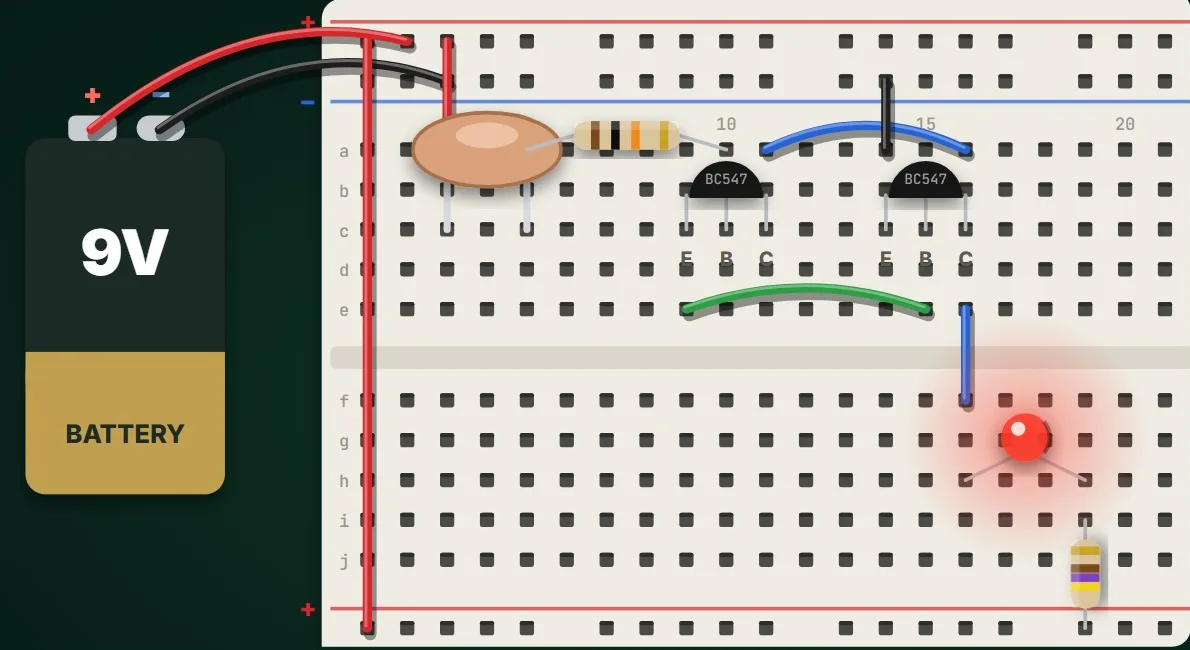
مصباح تُضيئه بلمسة إصبع: لماذا لا يكفي تيار جلدك الصغير لترانزستور واحد، وكيف يضرب زوج دارلنجتون تضخيم ترانزستورين معاً، ولماذا تبقى مقاومة القاعدة ضرورية، مع تركيب الدائرة على لوحة التجارب والتحقق منها في محاكاة حيّة.

A light you switch on with your finger. Why your skin's tiny current is not enough for one transistor, how a Darlington pair multiplies the gains of two transistors, and why the base still needs its resistor, built on a breadboard and checked in a live simulation.

ابدأ الدرسStart the lesson
الدرس 12Lesson 12الوامض بالترانزستورThe transistor flasher

مصباحان يتناوبان الوميضTwo LEDs that take turns

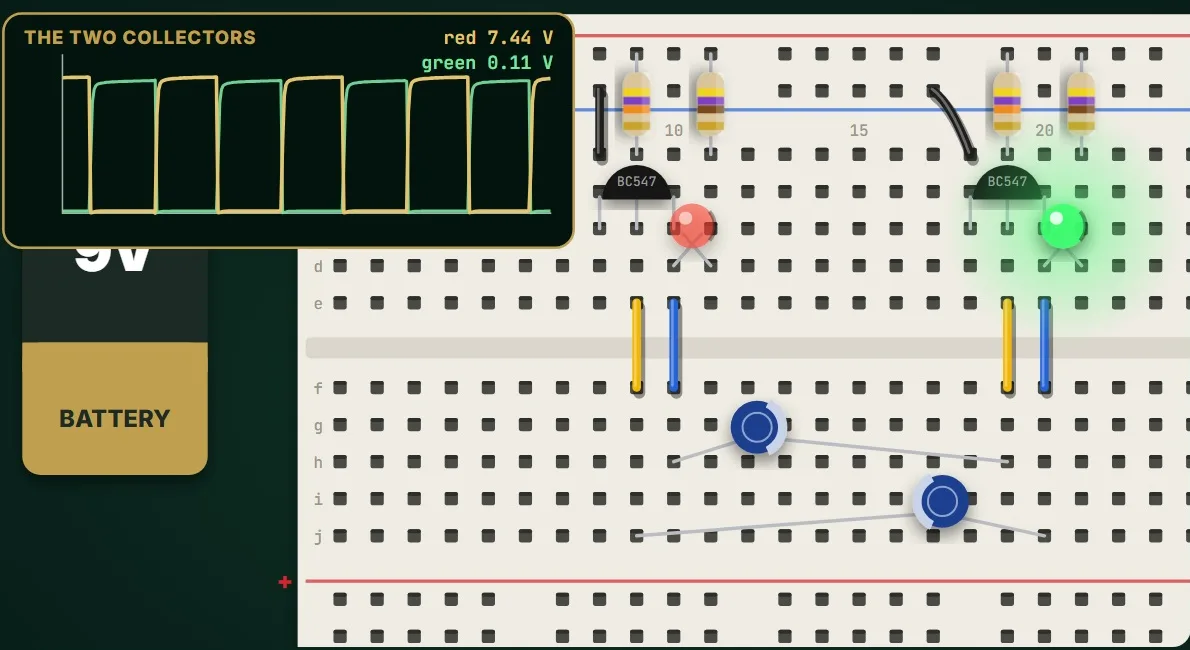
الدائرة الكلاسيكية الأولى: مصباحان يتناوبان الوميض من دون أي شريحة. مفتاحا ترانزستور ومكثّفان متقاطعان، وكيف يُطفئ كل جانب الجانب الآخر، ونصف الدورة t ≈ 0.7 × R × C، وكيف يصنع المكثّفان غير المتساويين ضوء منارة، مع تركيب الدائرة على لوحة التجارب والتحقق منها في محاكاة حيّة.

The classic first circuit: two LEDs that take turns, with no chip. Two transistor switches, two cross-coupled capacitors, how each side switches the other off, the half-period t ≈ 0.7 × R × C, and how unequal capacitors make a beacon, built on a breadboard and checked in a live simulation.

ابدأ الدرسStart the lesson
الدرس 19Lesson 19بت واحد من الذاكرةOne bit of memory

القلّاب: دائرة تتذكّرThe flip-flop: a circuit that remembers

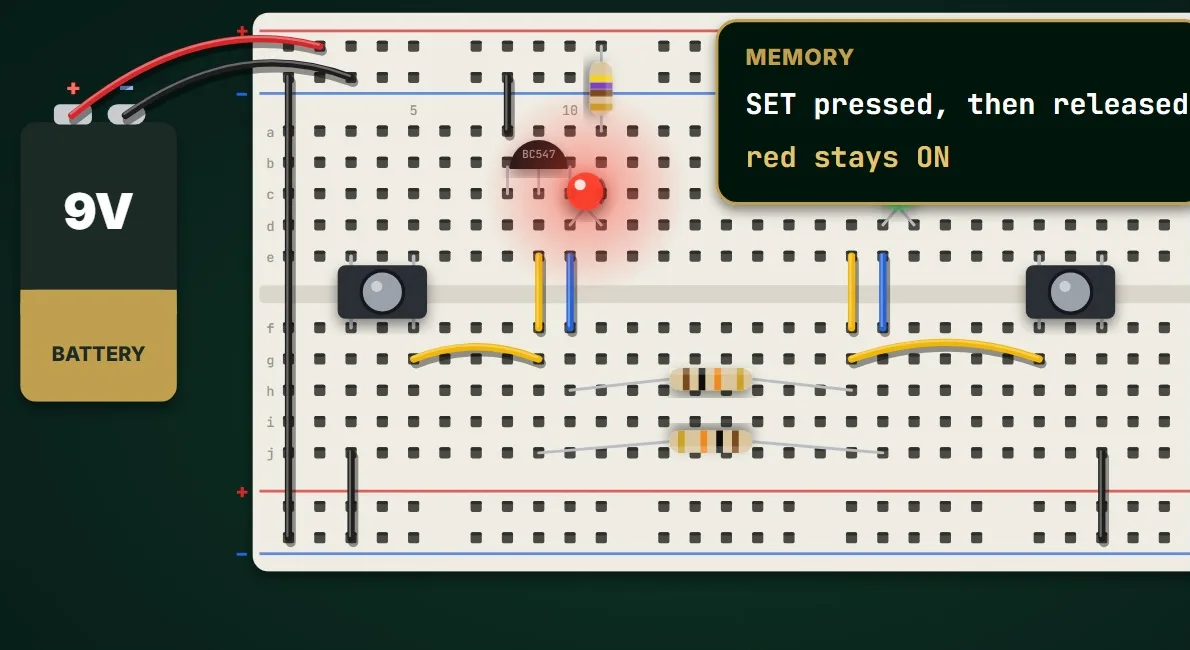
كيف تتذكّر الدائرة: مفتاحا ترانزستور مترابطان تقاطعياً عبر مقاومتين يصنعان قلّاباً بحالتين مستقرتين، يقلبه زرّا SET و RESET، ويحتفظ بحالته بعد رفع الإصبع: بت واحد من الذاكرة، مع تركيب الدائرة على لوحة التجارب والتحقق منها في محاكاة حيّة.

How a circuit can remember. Two transistor switches, cross-coupled through resistors, make a flip-flop with two stable states; SET and RESET push buttons flip it, and it keeps its state after you let go: one bit of memory, built on a breadboard and checked in a live simulation.

ابدأ الدرسStart the lesson
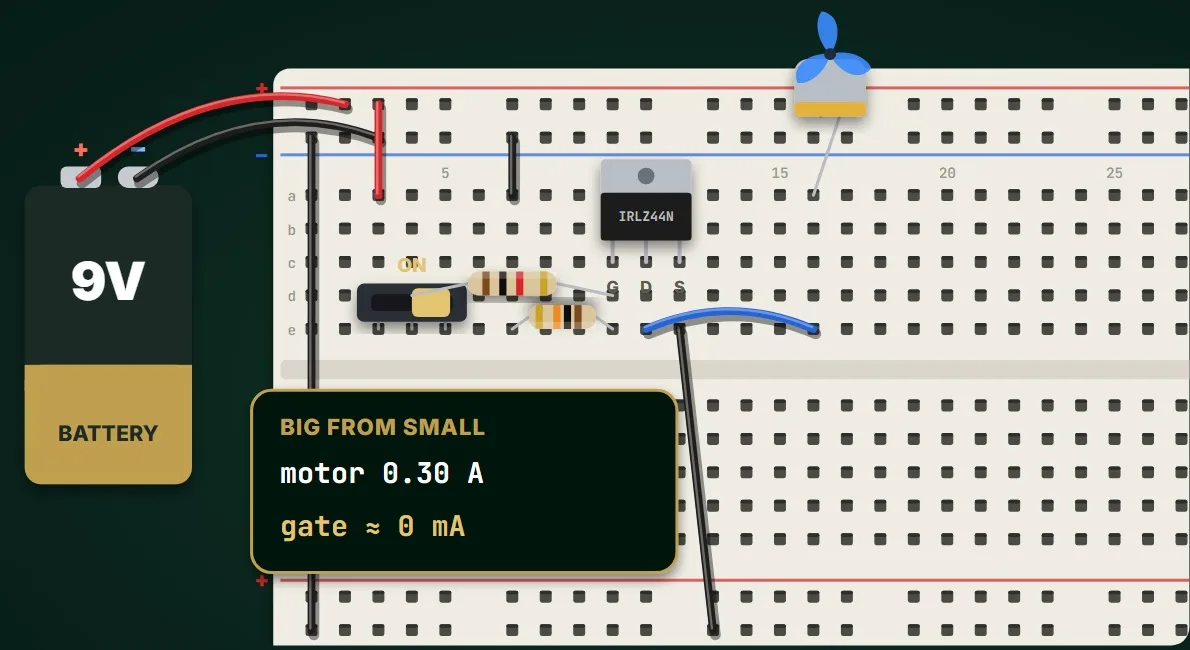
الدرس 20Lesson 20مفتاح يتحكم فيه الجهدA switch controlled by voltage

ترانزستور MOSFET: تشغيل محركThe MOSFET: switching a motor

تشغيل محرك يحتاج 300 mA بجهد صغير ومن دون تيار تقريباً: بوابة الـ MOSFET ومصرفه ومنبعه، ومقاومة السحب التي تُبقيه متوقفاً، وكيف يكاد يكون سلكاً عادياً حين يعمل بالكامل، والصمّام الثنائي الذي يحميه من ارتداد المحرك، مع تركيب الدائرة على لوحة التجارب والتحقق منها في محاكاة حيّة.

Switching a motor that needs 300 mA with a voltage and almost no current. The MOSFET's gate, drain and source, the pull-down resistor that keeps it off, how fully on it is almost a plain wire, and the diode that protects it from the motor's kickback, built on a breadboard and checked in a live simulation.

ابدأ الدرسStart the lesson
المؤقّتات والمنطقTimers and logic4

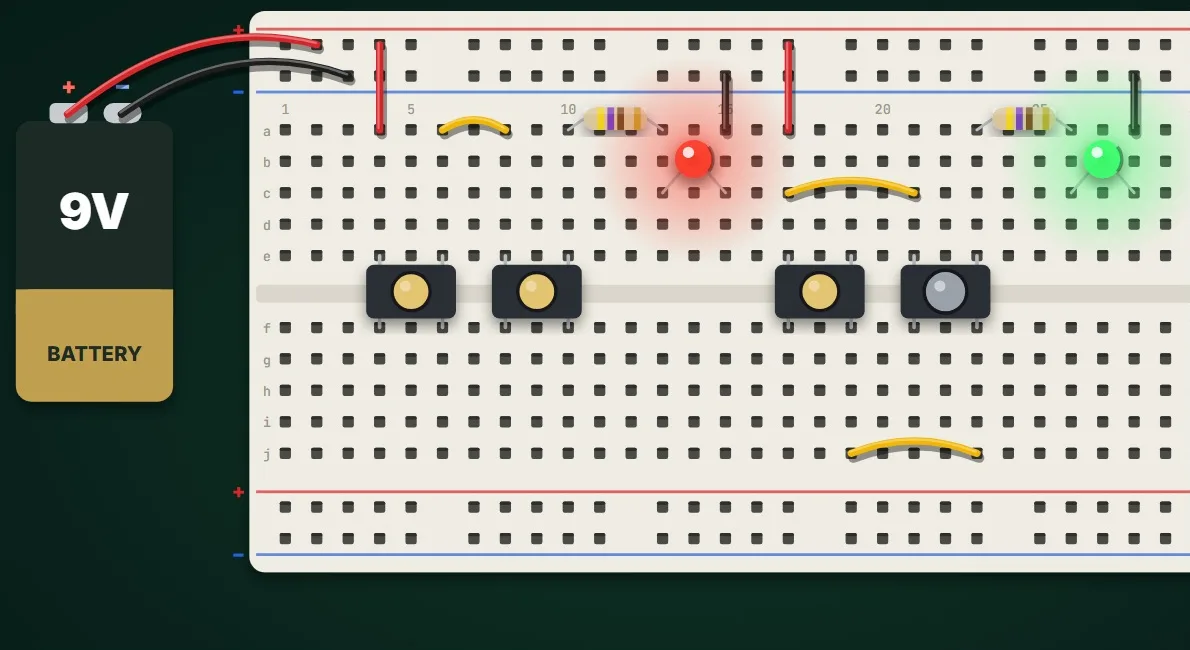
الدرس 8Lesson 8كيف يتخذ الحاسوب قراراتهHow computers decide

AND و OR: المنطق بزرّينAND and OR: logic with two buttons

القاعدتان اللتان يقوم عليهما كل حاسوب، مبنيّتان بأزرار الضغط ومصابيح LED: زرّان على التوالي يصنعان بوابة AND، وزرّان على التوازي يصنعان بوابة OR، مع جدول الحقيقة لكل منهما وأين تُستخدمان، مع تركيب الدائرة على لوحة التجارب والتحقق منها في محاكاة حيّة.

The two rules behind every computer, built with push buttons and LEDs. Two buttons in series make an AND gate, two in parallel make an OR gate, with their truth tables and where they are used, built on a breadboard and checked in a live simulation.

ابدأ الدرسStart the lesson
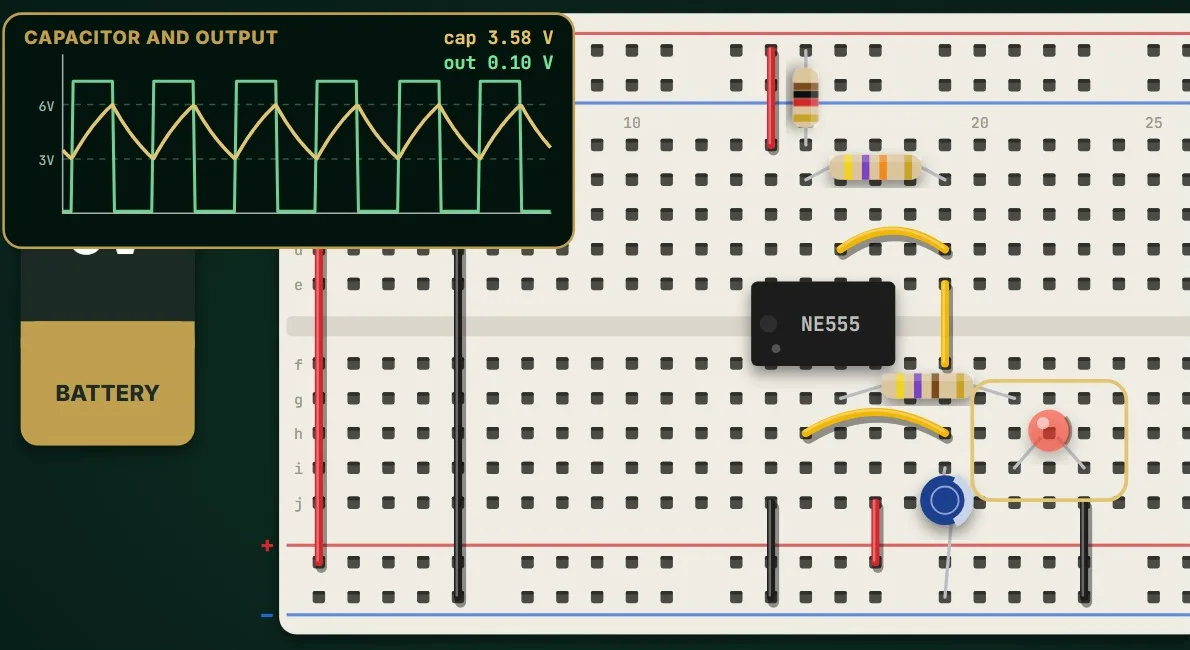
الدرس 10Lesson 10المذبذب غير المستقرThe astable oscillator

المؤقّت 555: ضوء وامضThe 555 timer: a blinking light

أشهر شريحة في الإلكترونيات تُومض مصباح LED: كيف يقارن المؤقّت 555 جهد المكثّف بثلث جهد التغذية وثلثيه، وكيف تحدّد مقاومتان ومكثّف سرعة الوميض، وكيف تجعله أسرع أو أبطأ، مع تركيب الدائرة على لوحة التجارب والتحقق منها في محاكاة حيّة.

The most famous chip in electronics, blinking an LED. How the 555 compares a capacitor's voltage with one third and two thirds of its supply, how two resistors and a capacitor set the blinking rate, f ≈ 1.44 / ((R1 + 2 R2) × C), and how to make it faster or slower, built on a breadboard and checked in a live simulation.

ابدأ الدرسStart the lesson
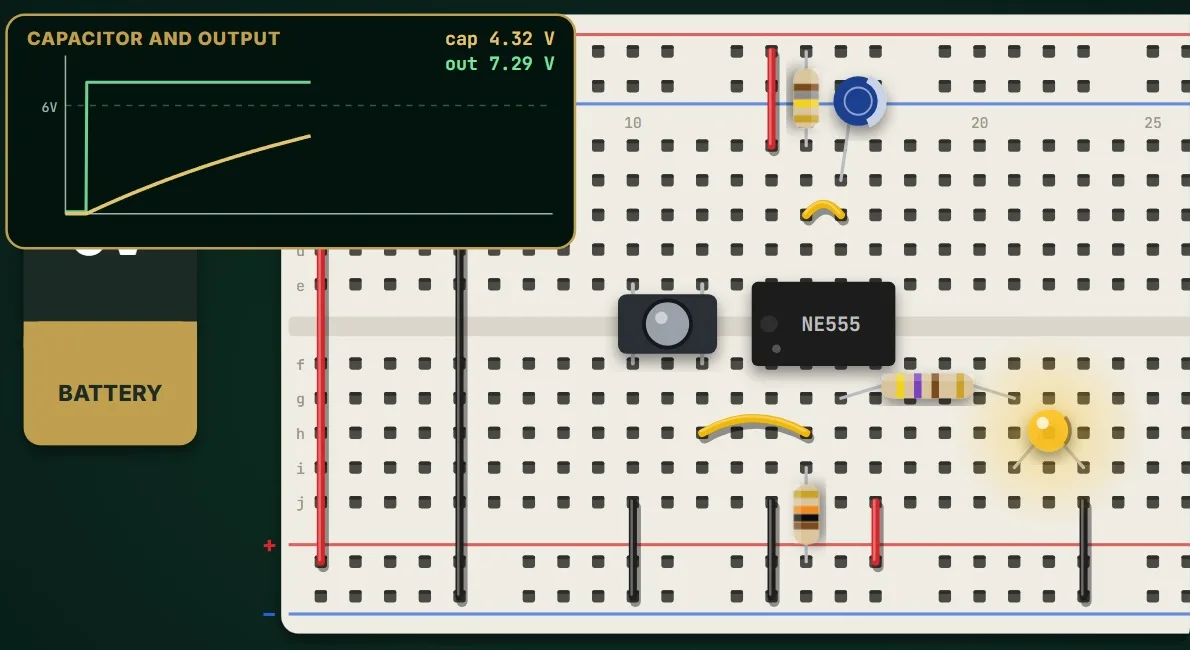
الدرس 11Lesson 11دائرة النبضة الواحدةThe one-shot circuit

المؤقّت 555: ضغطة واحدة ونبضة واحدةThe 555 timer: one press, one pulse

ضوء يبقى مضيئاً مدةً محددة بعد ضغطة زر ثم ينطفئ وحده: المؤقّت 555 في وضع النبضة الواحدة، وطرف القدح ومقاومة الرفع، ومقاومة التوقيت ومكثّفه، وطول النبضة T = 1.1 × R × C، مع تركيب الدائرة على لوحة التجارب والتحقق منها في محاكاة حيّة.

A light that stays on for a set time after a press, then switches itself off. The 555 in one-shot mode: the trigger and its pull-up resistor, the timing resistor and capacitor, and the pulse length T = 1.1 × R × C, built on a breadboard and checked in a live simulation.

ابدأ الدرسStart the lesson
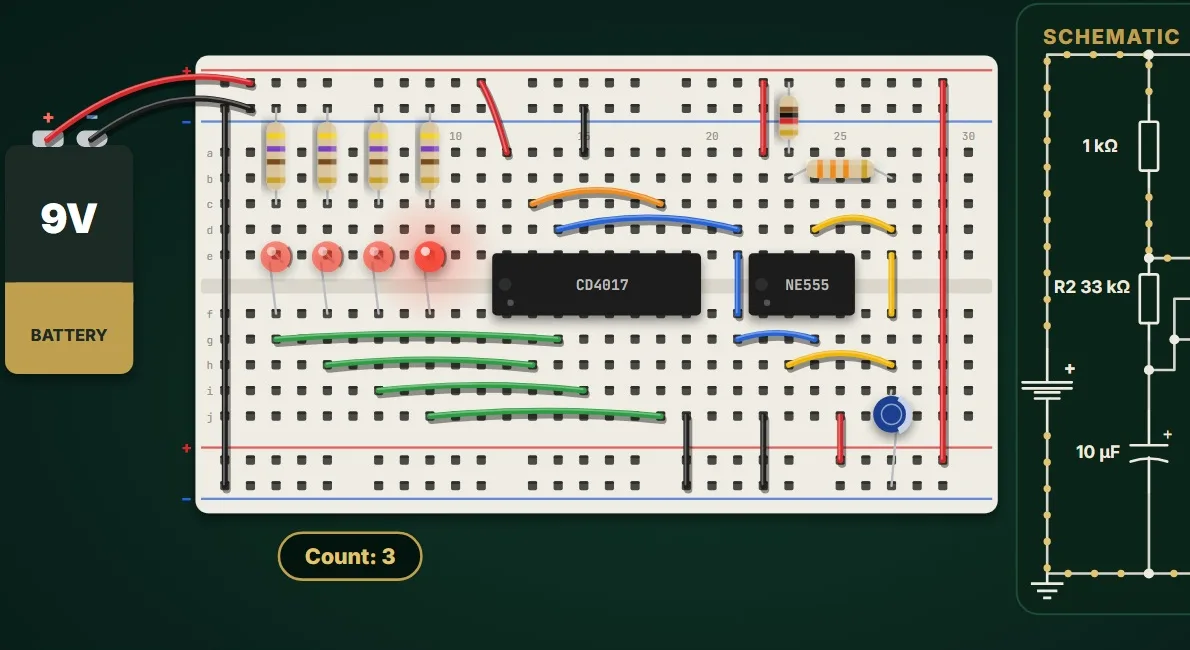
الدرس 24Lesson 24نبض وعدّاد وإعادة ضبطA clock, a counter and a reset

الضوء الجاري: عدّاد ينقل الضوءThe LED chaser: a counter that walks a light

ضوء جارٍ من المؤقّت 555 والعدّاد CD4017: دائرة الوميض بالمؤقّت 555 مصدراً للنبض، ومخارج العدّاد العشرة التي لا يعمل منها إلا واحد في كل لحظة، وأطراف النبض والتمكين وإعادة الضبط، وأربعة مصابيح LED لكل منها مقاومتها، ولماذا يبقى الصفّ مظلماً حتى يعود العدّ، وكيف يجعل وصل Q4 بإعادة الضبط الضوءَ يجري بلا فجوة، مع تركيب الدائرة على لوحة التجارب والتحقق منها في محاكاة حيّة.

A running light from a 555 timer and a CD4017 counter. The 555 blinker as the clock, the counter's ten outputs with only one on at a time, its clock, enable and reset pins, four LEDs each with its own resistor, why the row stays dark until the count wraps, and how wiring Q4 back to reset makes the light run without a gap, built on a breadboard and checked in a live simulation.

ابدأ الدرسStart the lesson
الحسّاسات والمضخّماتSensors and amplifiers3

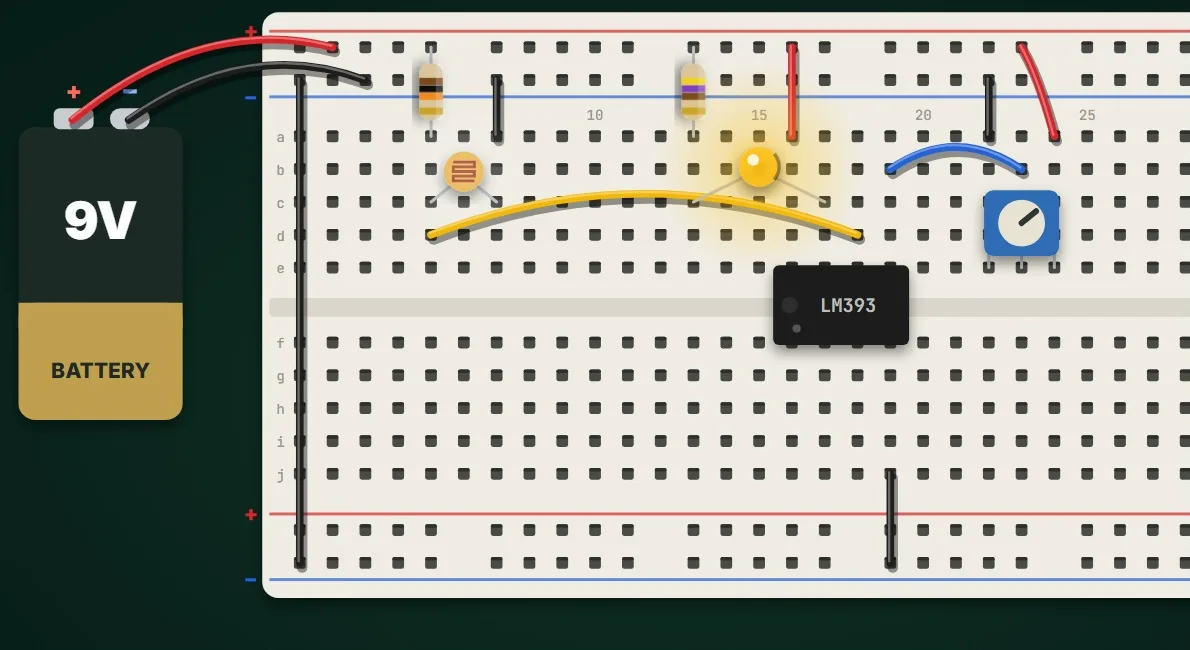
الدرس 21Lesson 21نعم أو لا عند عتبة محددةA clean yes or no at a threshold

المقارن: إنذار ضوئي قابل للضبطThe comparator: a light alarm you can set

إنذار ضوئي يعمل بوضوح عند مستوى تضبطه: مدخلا المقارن الموجب والسالب، ومقسّم جهد مع مقاومة ضوئية LDR حسّاساً، ومقاومة متغيّرة عتبةً، وخرج لا يستطيع إلا السحب إلى الأرضي، وكيف يحرّك المفتاح نقطة الانقلاب، مع تركيب الدائرة على لوحة التجارب والتحقق منها في محاكاة حيّة.

A light alarm that switches cleanly at a level you set. The comparator's plus and minus inputs, an LDR divider as the sensor, a potentiometer as the threshold, an output that can only pull down, and how turning the knob moves the switching point, built on a breadboard and checked in a live simulation.

ابدأ الدرسStart the lesson
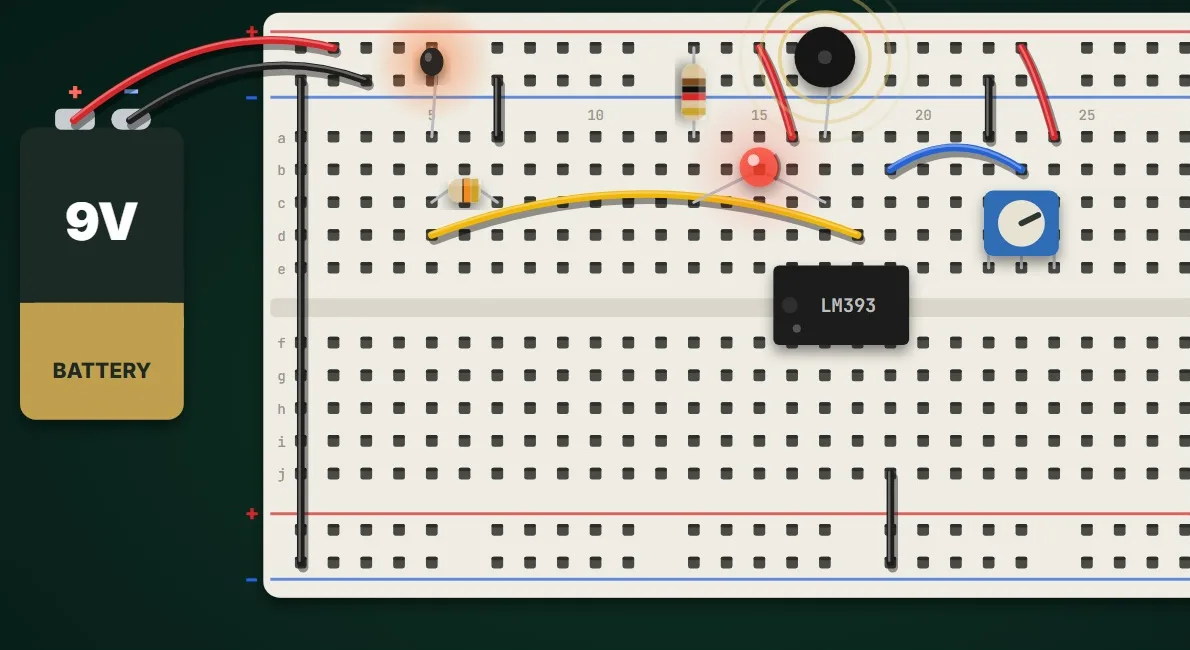
الدرس 22Lesson 22تحويل الحرارة إلى إنذارTurning heat into an alarm

الثرمستور: إنذار الحرارةThe thermistor: a temperature alarm

إنذار حرارة من ثرمستور NTC ومقارن: كيف تنخفض مقاومة الثرمستور كلما ارتفعت حرارته، والثرمستور أعلى مقسّم جهد، والعتبة مضبوطة على الجهد الذي يعطيه عند خمسين درجة، وطنّان وLED أحمر للإنذار، وكيف يتوقف الإنذار وحده حين يبرد، مع تركيب الدائرة على لوحة التجارب والتحقق منها في محاكاة حيّة.

A temperature alarm built from an NTC thermistor and a comparator. How a thermistor's resistance falls as it warms, the thermistor on top of a voltage divider, the threshold set to the voltage it gives at fifty degrees, a buzzer and a red LED as the alarm, and how it stops by itself when the part cools, built on a breadboard and checked in a live simulation.

ابدأ الدرسStart the lesson
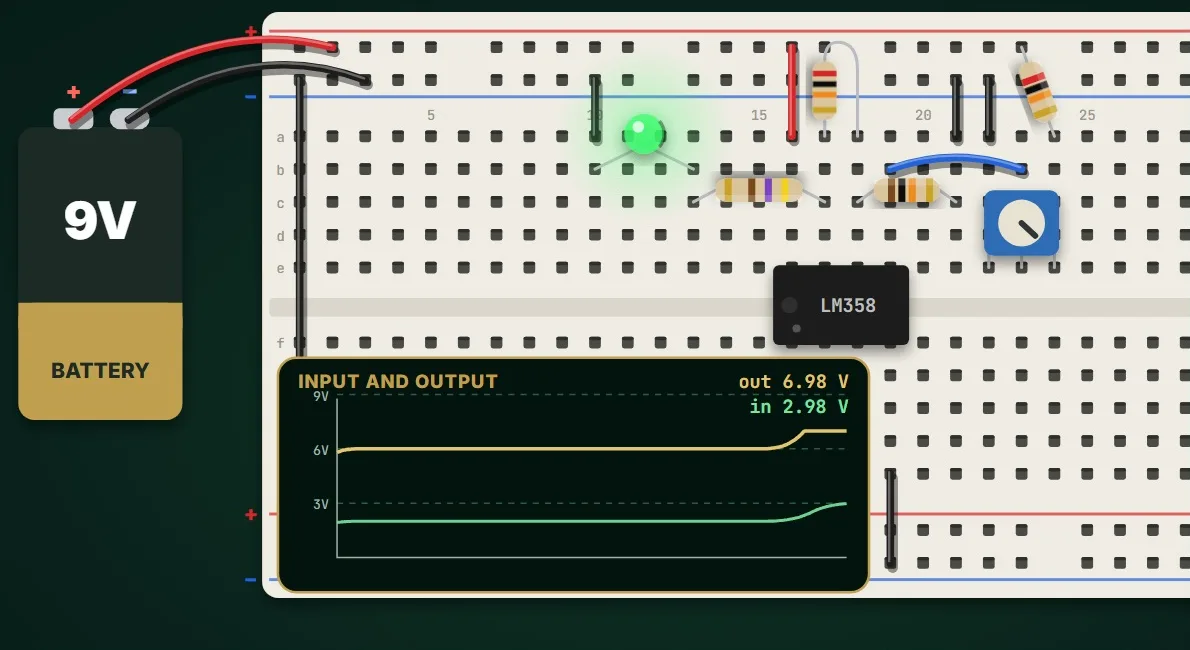
الدرس 23Lesson 23التضخيم والتغذية الراجعة والتشبّعGain, feedback and saturation

مضخّم العمليات: تضخيم تحدّده مقاومتانThe op-amp: an amplifier set by two resistors

مضخّم غير عاكس بمضخّم العمليات LM358: كيف تحدّد التغذية الراجعة عبر مقاومتين قيمة التضخيم، ولماذا يستقر الخرج حيث يتساوى المدخل السالب مع الموجب، وحساب واحد زائد Rf على Rg ليساوي ثلاثة، وLED على الخرج يتبع المفتاح، والتشبّع قرب جهد التغذية على راسم إشارة حيّ، مع تركيب الدائرة على لوحة التجارب والتحقق منها في محاكاة حيّة.

A non-inverting amplifier with the LM358 op-amp. How feedback through two resistors sets the gain, why the output settles where the minus input matches the plus input, one plus Rf over Rg worked out as three, an LED on the output that follows the knob, and saturation near the supply, shown on a live scope, built on a breadboard and checked in a live simulation.

ابدأ الدرسStart the lesson
تصميم الشرائح الإلكترونيةChip design

من فكرة الدائرة إلى ملف مصنع الشرائح: البوابات والقلّابات، ثم لغة Verilog، ثم الشريحة الحقيقية. كل دائرة تعمل أمامك في المتصفح.From a circuit idea to the chip factory's file: gates and flip-flops, then Verilog, then the real chip. Every circuit runs in your browser.

المستوى 1: التفكير الرقميLevel 1: Digital thinking5

الدرس 1Lesson 1البوابات المنطقيةLogic gates

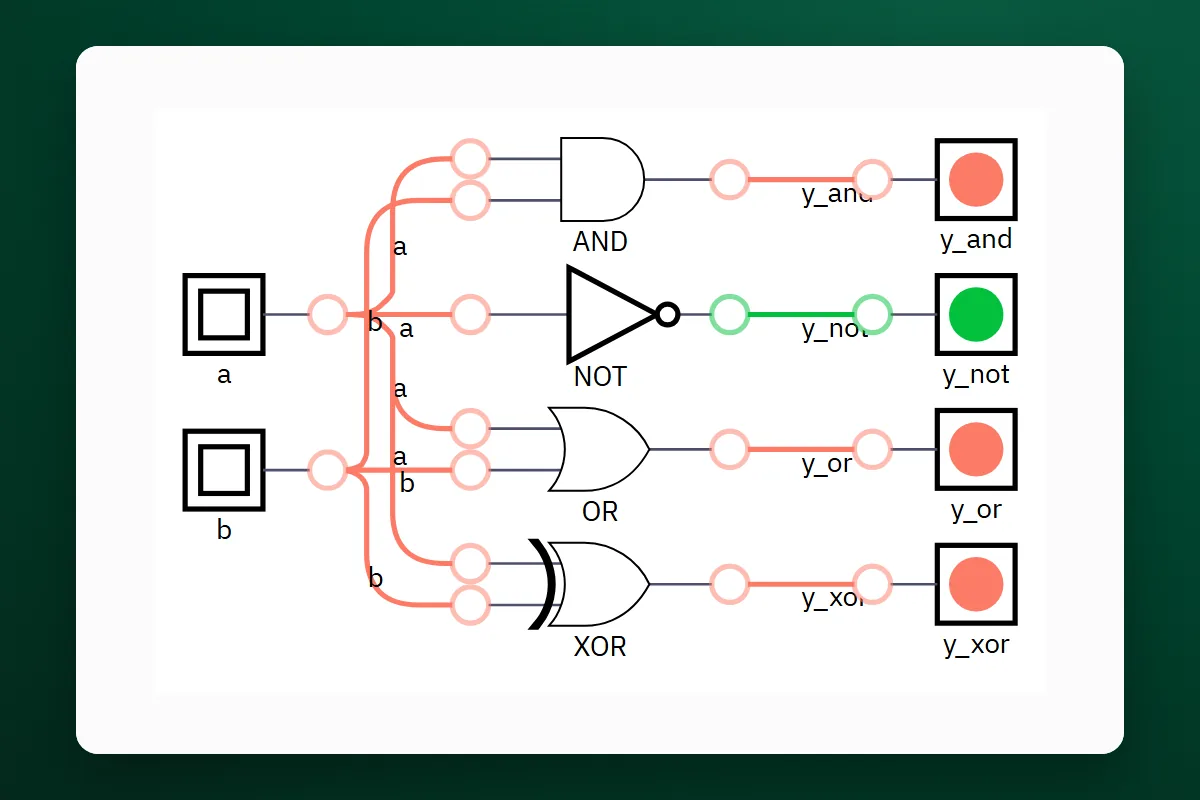
البوابات المنطقية: أصغر قرار في الشريحةLogic gates: the smallest decision in a chip

كل شريحة إلكترونية مبنية من قرارات صغيرة بين 1 و0. تعرّف على البوابات AND وOR وNOT وXOR وجدول الحقيقة، وجرّبها في دائرة حيّة مكتوبة بلغة Verilog.

Every chip is built from small decisions between 1 and 0. Meet the AND, OR, NOT and XOR gates and the truth table, and try them in a live circuit written in Verilog.

ابدأ الدرسStart the lesson
الدرس 2Lesson 2الجمع الثنائيBinary addition

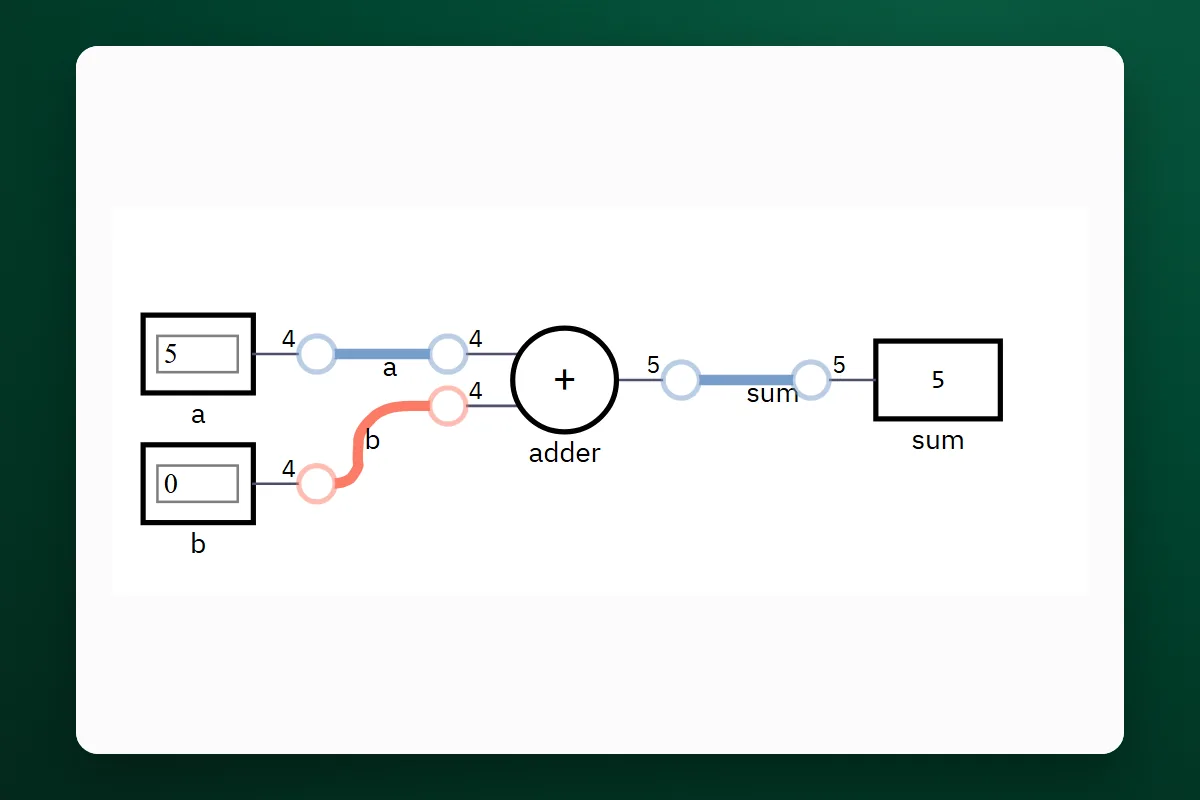
الأرقام الثنائية والجامع: كيف تجمع الشريحةBinary numbers and the adder: how a chip adds

الشريحة لا تعرف إلا 0 و1، ومع ذلك تجمع أي رقم. تعلّم العدّ الثنائي، ثم ابنِ نصف الجامع والجامع الكامل من بوابات الدرس الأول، ثم جامعاً من أربع خانات بسطر Verilog واحد.

A chip knows only 0 and 1, yet it adds any number. Learn to count in binary, build the half adder and the full adder from the gates of lesson one, then a four-digit adder from one line of Verilog.

ابدأ الدرسStart the lesson
الدرس 3Lesson 3القلّاب والساعةFlip-flops and the clock

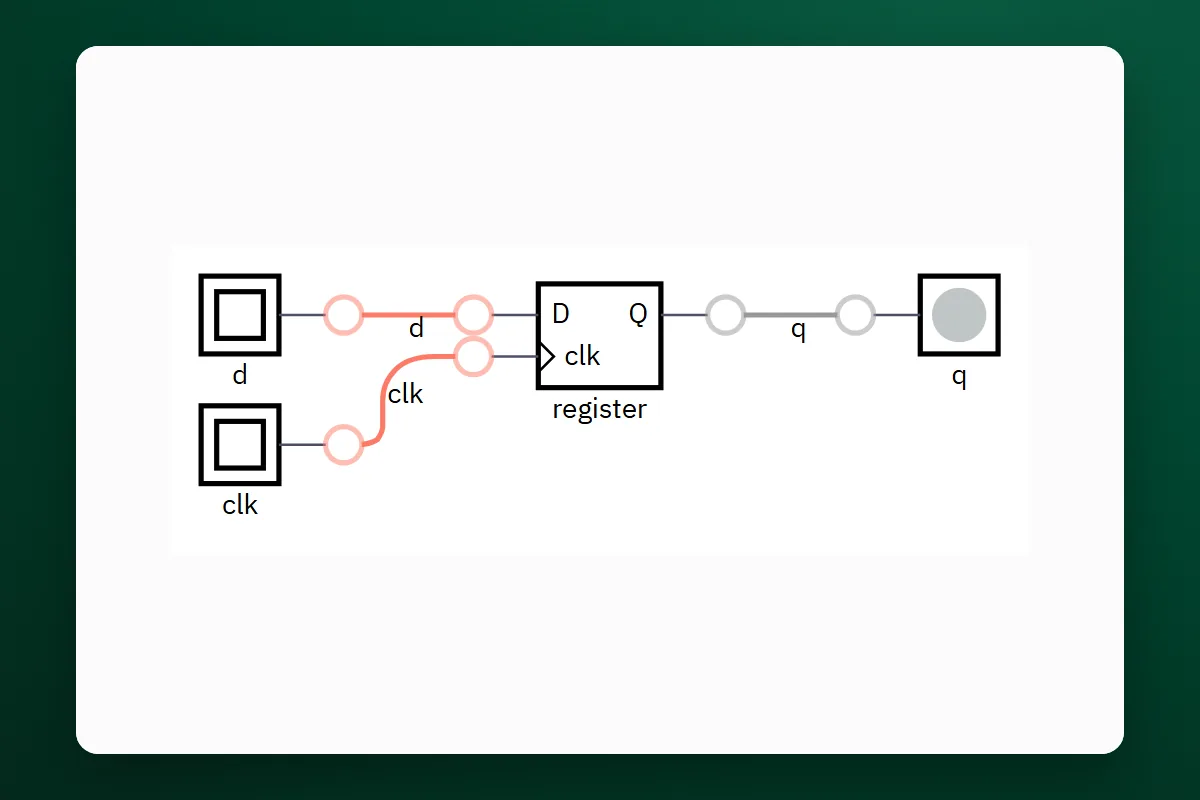
القلّاب: كيف تتذكّر الشريحةThe flip-flop: how a chip remembers

البوابات تنسى في الحال، لكن الحاسوب يحتاج أن يتذكّر. تعرّف على القلّاب D الذي يحفظ خانة واحدة عند نبضة الساعة، وعلى الساعة التي تنظّم الشريحة كلها، وعلى reset الذي يبدأ منه كل شيء.

Gates forget at once, but a computer must remember. Meet the D flip-flop, which stores one bit at the clock's pulse, the clock that paces the whole chip, and the reset that everything starts from.

ابدأ الدرسStart the lesson
الدرس 4Lesson 4السجلّ والعدّادRegisters and counters

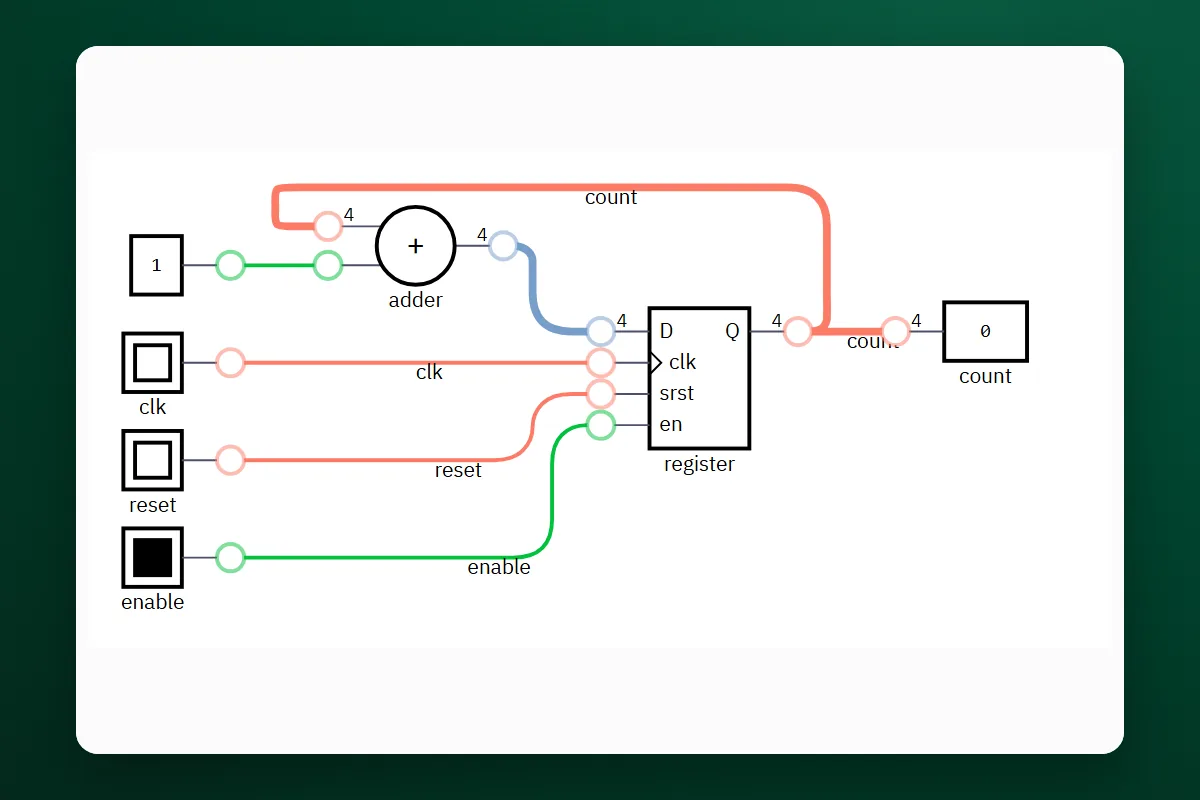
العدّاد: قلّابات تعدّ معاًThe counter: flip-flops that count together

أربعة قلّابات معاً تحفظ رقماً، ومع جامع صغير تصير عدّاداً يزيد مع كل نبضة. هكذا تعدّ الساعات الرقمية والمؤقّتات داخل كل شريحة.

Four flip-flops together hold a number, and with a small adder they become a counter that adds one on every pulse. This is how digital clocks and the timers inside every chip count.

ابدأ الدرسStart the lesson
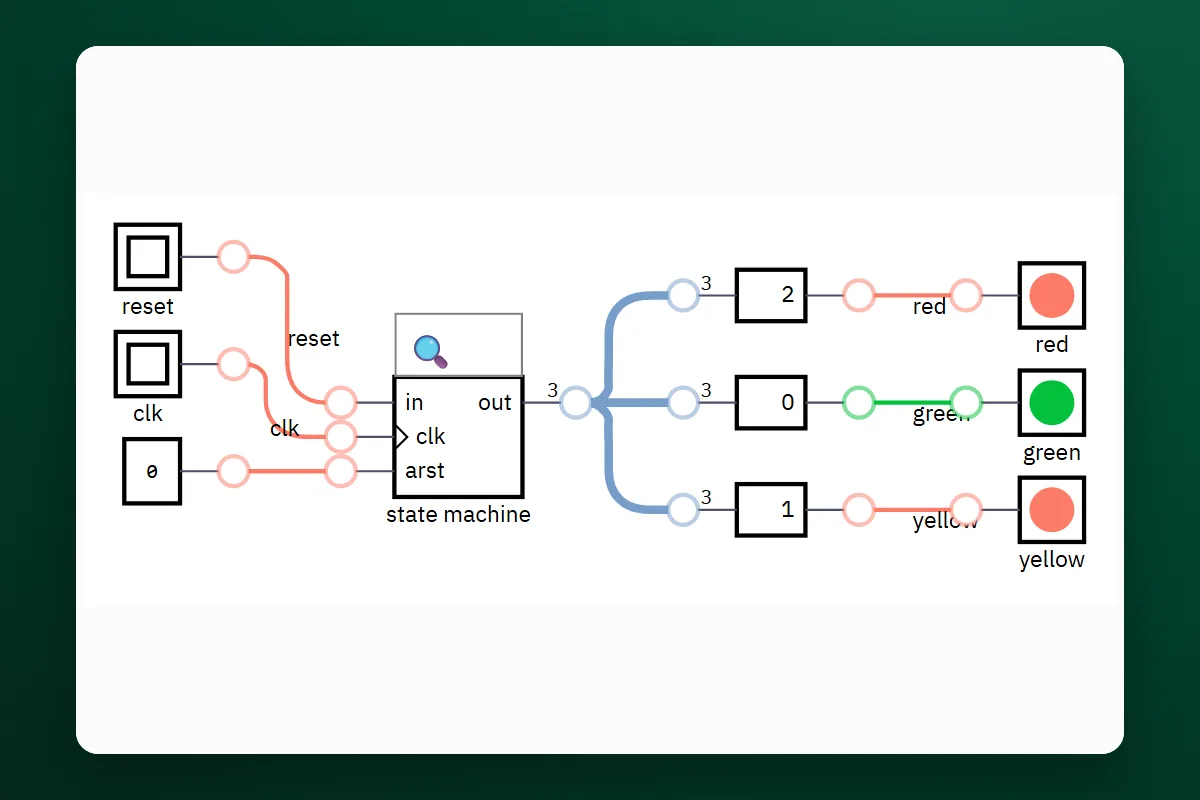
الدرس 5Lesson 5آلة الحالاتState machines

آلة الحالات: عقل إشارة المرورThe state machine: the brain of a traffic light

إشارة المرور والمصعد والغسّالة تتنقّل بين حالات محدّدة بقواعد ثابتة. ابنِ آلة حالات لإشارة مرور بلغة Verilog، وشاهد أداة التحويل تتعرّف عليها، ثم أضف زرّ المشاة بنفسك.

A traffic light, a lift and a washing machine move between fixed states by fixed rules. Build a traffic-light state machine in Verilog, watch the converter recognise it, then add the pedestrian button yourself.

ابدأ الدرسStart the lesson
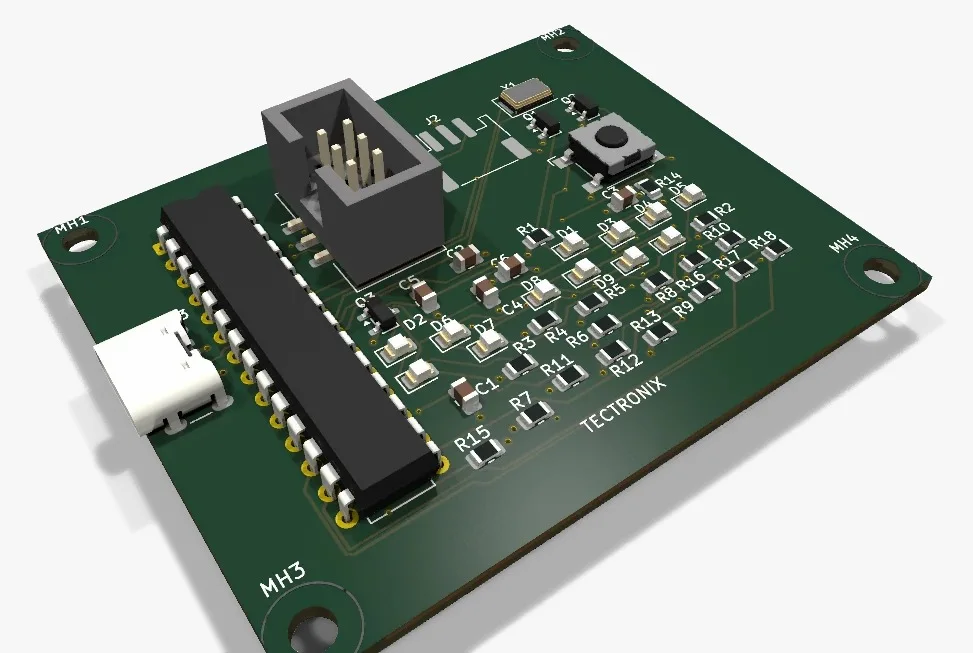
من أجهزتنا الحقيقيةFrom our real devices

الجهاز ثلاثي الأبعاد قطعة قطعة، وبرنامجه الحقيقي يعمل في المتصفح.The device in 3D, part by part, with its real program running in your browser.

حوض زرع يخبرك متى يحتاج الماء
الدرس 1Lesson 1مبتدئBeginner

حوض زرع يخبرك متى يحتاج الماءA plant pot that tells you when it needs water

حسّاس رطوبة، ومتحكم، واثنا عشر LED بثلاثة ألوان تبيّن حال التربة.

A moisture sensor, a controller and twelve LEDs in three colours that show how the soil is doing.

في هذا الدرسIn this lesson

  • كيف يقرأ المتحكم رطوبة التربة من الحسّاس عبر رِجل A0، ويختار اللون الذي يضيء.
  • لماذا يشغّل transistor كل مجموعة LED، وكيف تُحسب مقاومة كل LED.
  • كيف تركّبه بنفسك على لوح التجارب مع Arduino Nano، خطوة خطوة والمخطط بجانبك.
  • How the controller reads the soil moisture from the sensor on pin A0 and picks the colour to light.
  • Why a transistor drives each group of LEDs, and how each LED's resistor is calculated.
  • How to build it yourself on a breadboard with an Arduino Nano, step by step with the schematic beside you.
ابدأ الدرسStart the lesson
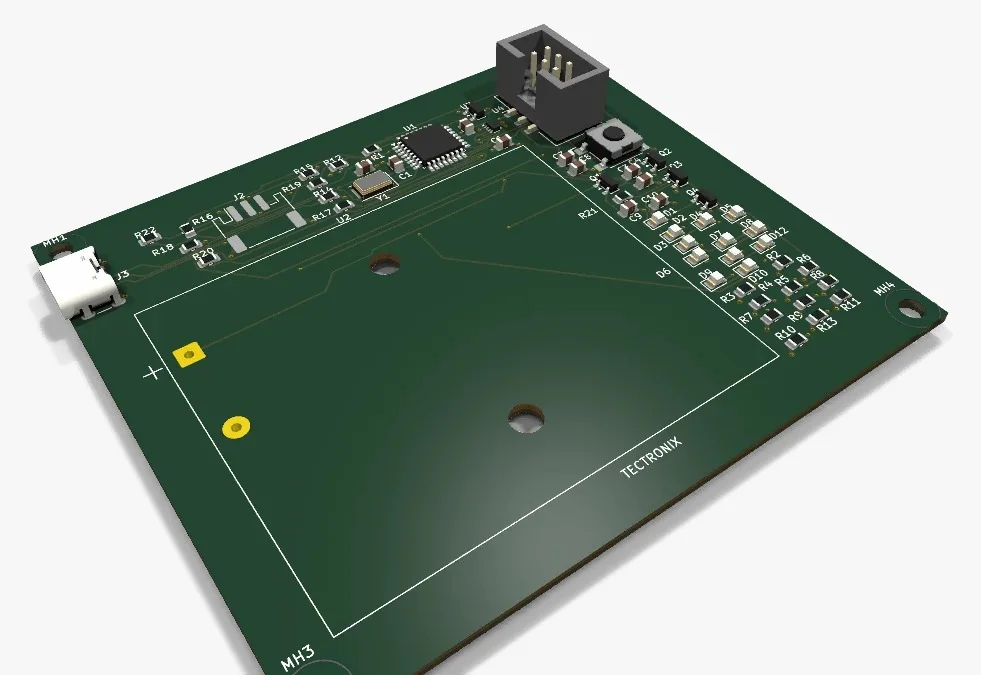
حوض الزرع على الـ battery
الدرس 2Lesson 2متوسطIntermediate

حوض الزرع على الـ batteryThe plant pot on batteries

الجهاز نفسه يعمل من الـ battery أو من USB-C، ويوفّر الطاقة بين القراءات.

The same device runs from batteries or USB-C and saves energy between readings.

في هذا الدرسIn this lesson

  • كيف يعمل الجهاز من الـ battery ومن USB-C، وأي قطعة تختار بينهما تلقائياً.
  • لماذا اخترنا متحكماً يعمل حتى 2.7 V، وكيف يقطع MOSFET تغذية الحسّاس بين القراءات توفيراً للطاقة.
  • كيف تركّبه على لوح التجارب مع Arduino Pro Mini بجهد 3.3 V، ولماذا تختلف مقاومات الـ LED هنا عن الدرس الأول.
  • How the device runs from batteries and from USB-C, and which part chooses between them on its own.
  • Why we chose a controller that works down to 2.7 V, and how a MOSFET cuts the sensor's power between readings to save energy.
  • How to build it on a breadboard with a 3.3 V Arduino Pro Mini, and why its LED resistors differ from the first lesson's.
ابدأ الدرسStart the lesson

عندك فكرة؟Have an idea?

أرسلها لنا، ونحوّلها إلى جهاز حقيقي بملفاته كاملة.Send it to us, and we turn it into a real device with all its files.

أرسل فكرتكSend your idea
الدروس تعمل في المتصفح وتحتاج اتصالاً بالإنترنت.The lessons run in your browser and need an internet connection.